Senior living communities carry a responsibility that retail and warehouse sites do not: protecting vulnerable residents while preserving dignity. Families choose nursing homes and assisted living facilities based on safety, transparency, and trust. Staff work under pressure in hallways, dining rooms, and medication areas where incidents can escalate quickly and accounts may conflict.
Video surveillance, when designed with clear privacy boundaries, supports resident safety, wander-risk management, incident documentation, and family confidence. It is not a substitute for staffing, clinical judgment, or compassionate care – but it gives administrators an objective record when seconds matter and memories differ.
This guide explains where CCTV fits in nursing homes and senior living, how to address elopement and fall documentation, what families expect to see (and not see), and how to deploy cameras without turning a home into a surveillance state. For industry-specific planning across healthcare and other sectors, see our Security Cameras by Industry overview.
Why Senior Living Facilities Consider CCTV
Regulatory surveys, insurance reviews, and family tours all ask the same underlying question: how do you know what happened? Cameras in appropriate common areas answer part of that question. They document hallway traffic near a resident room, dining room activity during meals, and entrance doors where elopement risk is highest. They do not replace nurse call systems, bed alarms, or wander bracelets – they add a visual layer when those tools alert staff or when an incident is reported hours later.
Liability exposure in senior living is significant. Falls, medication errors, alleged neglect, and resident-to-resident altercations generate investigations that hinge on timing and witness availability. Shift changes, agency staff, and high turnover mean the people who saw an event may not be on duty when administrators begin their review. Time-stamped video narrows the window, shows environmental conditions (wet floor, poor lighting, overcrowded doorway), and supports fair outcomes for residents and staff alike.
Families increasingly ask about monitoring during facility tours. Visible, professionally installed systems with clear policies signal that leadership takes accountability seriously. That trust factor matters commercially and ethically – not as marketing theater, but as evidence that the community can investigate concerns without relying solely on verbal reports.
Resident Safety and Wander Risk
Wandering and elopement are among the most urgent safety events in memory-care and skilled nursing settings. A resident with dementia may leave through a propped-open door, follow a delivery cart, or slip past a distracted desk during shift change. Door cameras at main entrances, emergency exits, and loading areas provide immediate verification when a wander alert sounds or a bracelet alarm fires.
Effective wander-risk camera placement focuses on decision points, not resident bedrooms:
- Main lobby and reception: Capture who approaches the desk and which doors open during high-traffic periods.
- Egress doors to parking and courtyards: Document residents moving toward exterior spaces, especially after dusk.
- Elevator lobbies on memory-care floors: Record attempts to access floors outside the assigned unit.
- Corridor intersections near unit entrances: Show direction of travel when staff search for a missing resident.
Cameras complement – not replace – elopement technology. Wander bracelets, door alarms, and staffing ratios remain primary. Video accelerates search efforts by confirming whether a resident exited via the east courtyard door or turned toward the dining hall. That minutes-saved advantage matters when local weather, traffic, and terrain increase risk outdoors.
Night-shift visibility is a common gap. Low-light capable cameras in corridors and near exterior doors help supervisors review events from 2:00 a.m. alerts without waking entire units. IR glare and overly bright white-light strobes can disorient residents; tuned low-light imaging and discreet IR where appropriate are preferable to harsh flood lighting in sleeping corridors.
Fall Documentation and Incident Review
Falls are the leading source of injury and litigation in many senior living communities. After a fall, administrators need to know: Was the floor dry? Was the walker within reach? Was staff nearby? Were call lights answered within policy time? Witness interviews help, but they are subjective and incomplete.
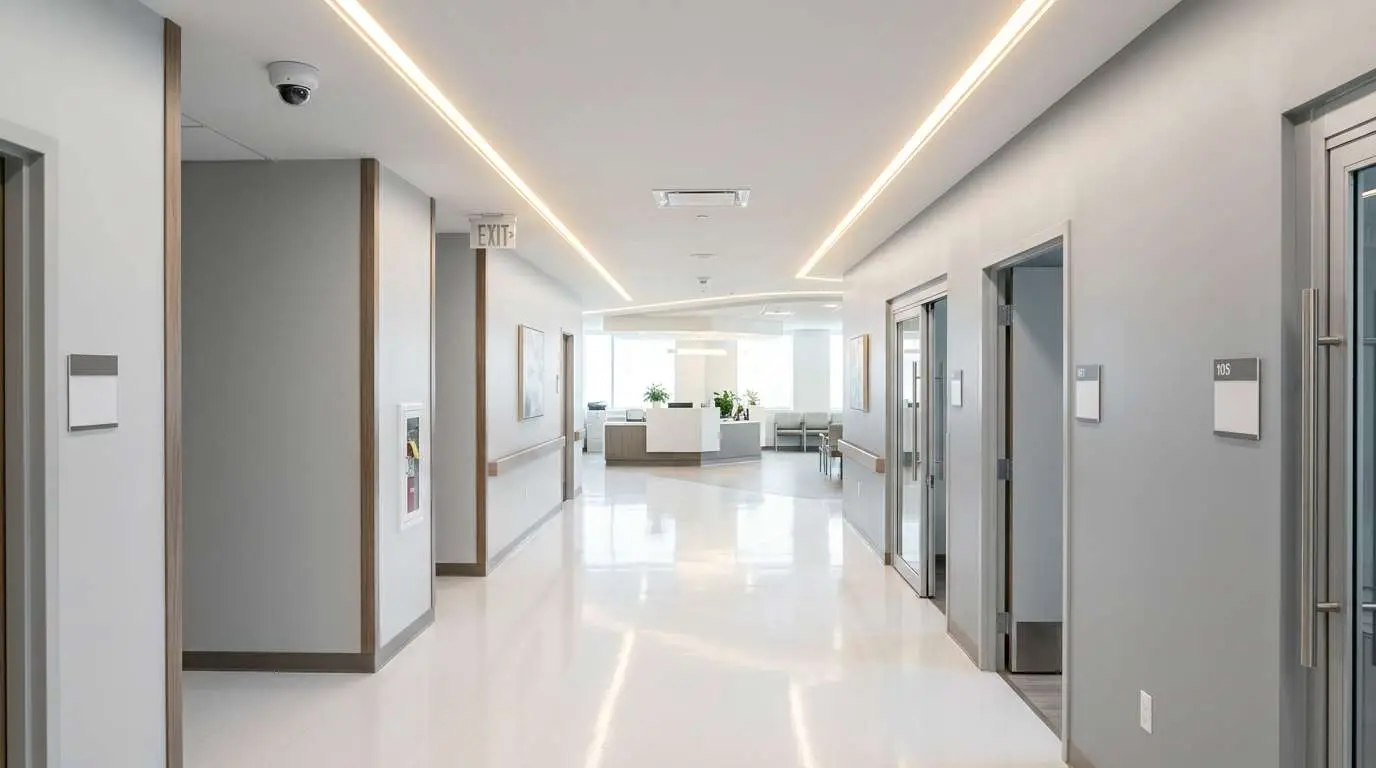
Cameras in hallways, dining areas, and activity rooms – not inside bathrooms or bedrooms – can show pre-fall movement, environmental hazards, and response time once staff arrive. This footage supports quality-improvement reviews: Was furniture arranged safely? Did a wet-floor sign appear after mopping? Did staff follow transfer protocols in a visible common area?
Incident documentation extends beyond falls. Resident-to-resident incidents in shared lounges, medication queue bottlenecks at the nurse station window, and visitor behavior in common areas all generate reports. Video gives risk managers and surveyors a factual sequence instead of fragmented narratives collected days later.
Retention policy should align with clinical and legal review windows. Many facilities retain thirty to ninety days for common-area cameras, long enough for delayed injury reports and insurance inquiries. Export procedures should name who may pull clips – typically administrator, director of nursing, and risk management – with audit logs when footage leaves the building.
Staff Safety and Fair Investigation
Healthcare workers face verbal aggression, physical resistance during care, and false accusations of mistreatment. Cameras in public care corridors and dining rooms protect staff as much as residents when policies are clear and cameras are not weaponized as a constant performance scorecard.
When a family alleges neglect because a meal was delayed, footage from the dining corridor may show staffing levels and service sequence. When a staff member reports resident aggression, video may corroborate the account and justify care-plan adjustments. The goal is fair fact-finding, not punitive micromanagement of every interaction.
Staff communication is essential. Employees should understand that common areas are recorded, that break rooms and locker areas are not, and that video access is limited to authorized roles. Unions and employee representatives may request bargaining on monitoring scope; addressing that early prevents retroactive conflict.
Family Trust and Transparent Communication
Families want reassurance without intrusive voyeurism. They do not expect – and should not receive – live feeds from inside a resident’s private room. Trust is built by explaining what cameras cover, why those areas were chosen, and how requests for incident review are handled.
Best practices for family communication include:
- Written surveillance policy: Posted on the website and available during tours; describes locations, retention, and access roles.
- Signage at entrances: Clear notice that common areas may be recorded for safety.
- No family live-access feeds: Avoid promising families 24/7 viewing portals; instead, explain formal review processes for specific concerns.
- Point of contact: Name an administrator or risk manager for footage requests tied to legitimate incidents.
- Tour script alignment: Sales and admissions staff should describe cameras consistently with written policy.
When families see professional domes in corridors and none in private rooms, the message is safety with boundaries. When they see ad-hoc cameras taped to walls with no policy, trust erodes regardless of good intentions.
Privacy, Dignity, and Regulatory Expectations
Residents retain dignity and legal privacy interests even in licensed facilities. Cameras must never monitor bathrooms, showers, toilets, or resident bedrooms as a default practice. Changing areas, treatment rooms where gowns are removed, and medication rooms where resident names and diagnoses appear on labels require careful placement – often aimed at doorways and aisles rather than surfaces with protected health information.
Audio recording raises additional concerns in healthcare settings. Most senior living deployments use video-only in common areas. If audio is considered for a specific high-risk exterior zone, consult legal counsel on state wiretap and consent rules before enabling microphones.
State survey agencies and accrediting bodies vary in how they reference electronic monitoring. Footage may support internal investigations but does not replace required reporting, physician notification, or family communication when incidents occur. Treat video as one evidence source among many – nursing notes, vitals, call-light logs, and maintenance records still matter.
Residents with capacity may consent to additional monitoring in specific situations; residents lacking capacity require guardian or power-of-attorney involvement for any exception to standard policy. Document those cases individually rather than applying blanket recording rules to private spaces.
Recommended Camera Zones vs. Off-Limits Areas
| Area | Typical Approach |
|---|---|
| Main entrances and lobbies | Record for wander and visitor verification |
| Dining rooms and activity halls | Document falls, crowding, and service flow |
| Hallways outside resident rooms | Support elopement searches and response timing |
| Parking and courtyard egress | Exterior coverage for elopement and visitor safety |
| Resident bedrooms and bathrooms | Do not record – dignity and privacy priority |
| Medication prep surfaces | Avoid lenses that capture labels; doorway angles only if needed |
Every facility layout differs. Memory-care units with centralized living rooms may need more interior common coverage than traditional corridor models. Independent living wings may emphasize parking and exterior paths. A site walk with clinical leadership identifies priorities without expanding beyond what dignity policies allow.
System Design for Healthcare Environments
Senior living buildings run 24/7 with cleaning chemicals, meal carts, and wheelchair traffic. Vandal-resistant domes in corridors withstand accidental impacts better than turret cameras on low mounts. PoE IP cameras on a dedicated network segment keep video traffic separate from nurse call, Wi-Fi, and telehealth applications where IT policies require segmentation.
Storage and retrieval must match investigation reality. Administrators need fast search by door, hallway, and time range – not hours of scrolling. NVR sizing should reflect camera count, resolution, and retention at full frame rate during incidents. Cloud backup or off-site replication may support disaster recovery but should follow organizational policies on protected information; many communities keep primary storage on-premise with strict export controls.
After-hours monitoring options include on-site security for larger campuses or virtual guard video monitoring for entrance doors when local guards are not economical. Either approach pairs best with analytics that flag propped doors or unexpected motion in locked units – reducing alert noise for overnight supervisors.
Implementation Steps That Reduce Pushback
Roll out CCTV in senior living with governance first, hardware second:
- Draft a surveillance policy with legal review – locations, retention, access, and prohibited areas.
- Meet with nursing leadership and staff representatives to align on purpose: safety and fact-finding, not secret monitoring.
- Communicate to families via newsletter and admission packets before cameras go live.
- Install signage and conduct a privacy walk to confirm no lens sees into bedrooms, baths, or medication labels.
- Train authorized staff on export, chain of custody, and when not to share clips externally.
- Schedule quarterly audits: camera aim, retention health, and user permission reviews.
Phased installation by building wing lets staff adjust before full deployment. Pilot coverage on the memory-care floor or main entrance often surfaces aim and lighting tweaks that improve the rest of the project.
Next Steps with Edge CCTV
Edge CCTV works with senior living operators, skilled nursing administrators, and assisted living groups to design camera systems that respect resident dignity while supporting safety and incident review. We coordinate with facilities and IT staff on network segmentation, retention, and common-area coverage maps that surveyors and families can understand.
Request a professional security consultation for a site walk with your clinical and risk team, or contact us at (678) 883-0999. Explore how other sectors approach surveillance on our Security Cameras by Industry hub, and compare core system options in The Complete Guide to Business Security Camera Systems.
Related Guide
See how other industries approach surveillance planning: Security Cameras by Industry →

About the Author
Kevin Harkins is the Director of Sales at Edge CCTV, where he has spent 10 years helping business owners design and implement commercial security camera systems across Atlanta, Birmingham, Chattanooga, and beyond. Starting as an Outside Sales Representative and working his way up through Sales Manager to Director of Sales, Kevin has guided hundreds of businesses through the process of evaluating, specifying, and installing the right system for their facility. More from Kevin Harkins.